
Contacts Dialer6.2.7 - Get APK
You'll be able to download in few seconds.
Publisher Description
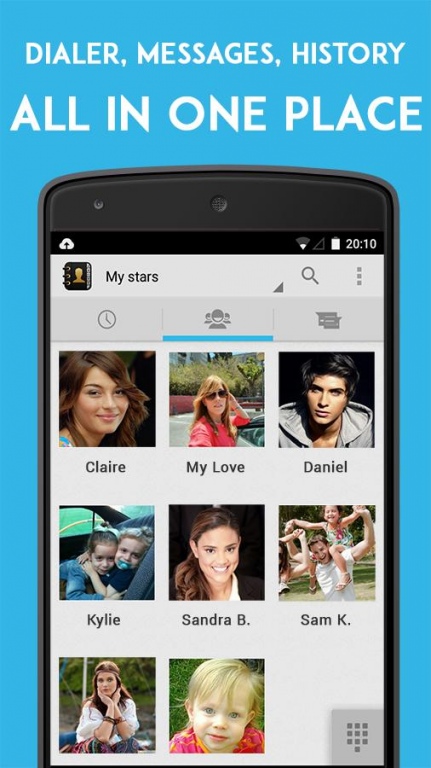
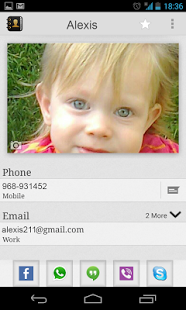
Its intuitive user interface makes it fastest, user friendly and fully-featured app for everyone who needs to get most out of their contacts.
FEATURES:
Sync pictures of your friends from WhatsApp
+ Add photos to your contacts by syncing it with WhatsApp.
Contact Dialer automatically match your contacts and import the pictures to your address book.
T9 Dialer
+ Smart search by names and numbers At the same time.
Pop-Up SMS
+ convenient popup window on incoming message
+ quickly reply, delete or close the message
+ built-in "quick reply" for even faster messaging directly from popup window
+ have your messages read to you using text-to-speech
+ reply to messages using the system voice recognition
+ customize notifications including sound, vibrate pattern, LED color (if available) and notification icon
+ also customize notifications for individual contacts
+ setup notification reminders (repeating notifications if you miss the first one)
+ optional privacy mode to hide sender name and message contents
Smart Sorting/Filtering
+ Define visible contacts
+ Prioritization contacts.
Style
+ More then 30 backgrounds and themes.
+ Grid /List contacts view.
+ Different picture sizes for contacts.
+ Round/Square pictures.
+ Call log and Messages list
+ Auto Sync Contacts pictures from phone!!!
+ Quick call - press & hold a contact's picture to call from your main contacts screen
+ WhatsApp, Skype, Telegram, Viber, integrated in your contacts.
About Contacts Dialer
The company that develops Contacts Dialer is SogoApps. The latest version released by its developer is 6.2.7.
To install Contacts Dialer on your Android device, just click the green Continue To App button above to start the installation process. The app is listed on our website since 2017-10-22 and was downloaded 0 times. We have already checked if the download link is safe, however for your own protection we recommend that you scan the downloaded app with your antivirus. Your antivirus may detect the Contacts Dialer as malware as malware if the download link to com.luz.contactdialer is broken.
How to install Contacts Dialer on your Android device:
- Click on the Continue To App button on our website. This will redirect you to Google Play.
- Once the Contacts Dialer is shown in the Google Play listing of your Android device, you can start its download and installation. Tap on the Install button located below the search bar and to the right of the app icon.
- A pop-up window with the permissions required by Contacts Dialer will be shown. Click on Accept to continue the process.
- Contacts Dialer will be downloaded onto your device, displaying a progress. Once the download completes, the installation will start and you'll get a notification after the installation is finished.
Program Details
System requirements
Download information
Pricing
Version History
version 6.2.7
posted on 2017-10-22
version 5.0.4
posted on 2016-11-13
5.0.4 Added options :,New UI,Color Themes,Choose default tab - contacts, calls history, sms
version 2
posted on 2013-06-23
Several fixes and updates
Disclaimer
External Download
We do not host Contacts Dialer on our servers. We did not scan it for viruses, adware, spyware or other type of malware. This app is hosted by Galad and passed their terms and conditions to be listed there. We recommend caution when installing it.
The APK Download link for Contacts Dialer is provided to you by apps112.com without any warranties, representations or guarantees of any kind, so access it at your own risk.
If you have questions regarding this particular app contact the publisher directly. For questions about the functionalities of apps112.com contact us.
